GitHub Actions concurrency: cancel-in-progress and queues
A concurrency group runs one workflow or job at a time. Here is how waiting runs are cancelled or queued, the messages they leave, and the limits you do not set.
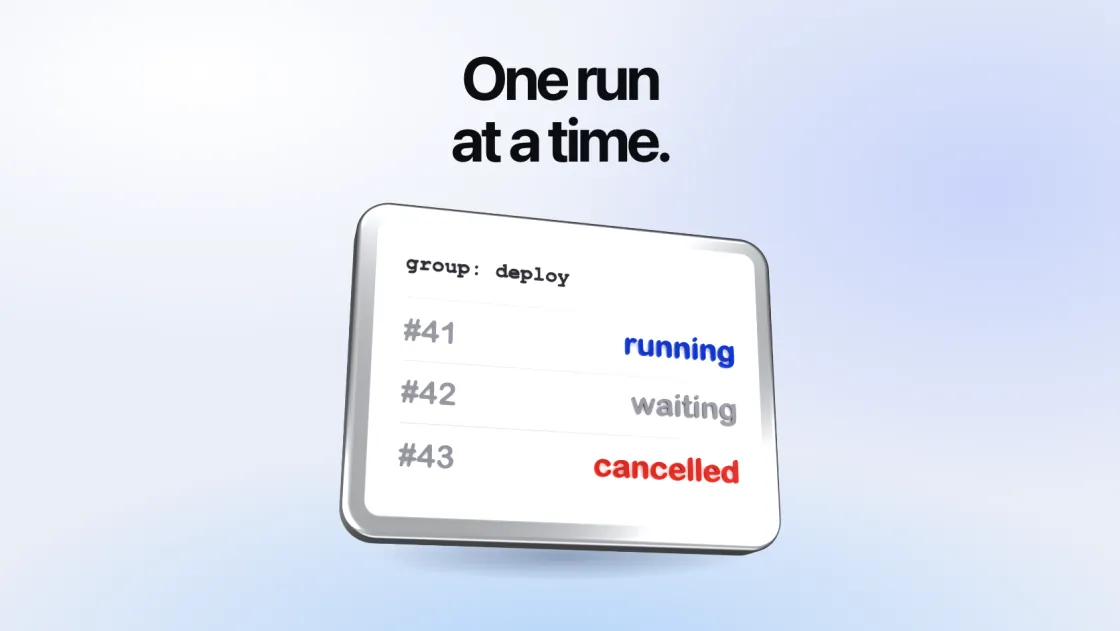
GitHub Actions runs as many jobs at once as it can: every push starts a new run, whatever is still running from the last one. The concurrency key changes that. It puts runs or jobs into a group, and a group runs one at a time. Here is how groups, cancel-in-progress and the new queue option behave, the messages they leave, and the other limits on how much runs at once.
One run at a time
on: push
concurrency:
  group: ${{ github.workflow }}-${{ github.ref }}
  cancel-in-progress: true
The group is a name. Runs whose group has the same name run one at a time; the rest wait. Names are case-insensitive, so prod and Prod are one group. With ${{ github.workflow }}-${{ github.ref }}, each workflow on each branch is its own group: a new push to a branch replaces the run on that branch and leaves other branches alone.
The same key works on a job, so that only one job of the kind runs, however many runs want it:
jobs:
  deploy:
    runs-on: ubuntu-latest
    concurrency:
      group: production
What happens to the runs that wait
From GitHub’s concurrency how-to:
| Setting | The running one | Waiting runs |
|---|---|---|
concurrency: name | finishes | at most one; a newer one replaces it |
cancel-in-progress: true | is cancelled | at most one; a newer one replaces it |
queue: max | finishes | up to 100, run in order; past 100, cancelled |
By default a group holds one running and one waiting run. A third run cancels the waiting one and takes its place, and the cancelled run says:
Canceling since a higher priority waiting request for '<group>' existsThat suits CI, where only the newest commit matters. It does not suit deployments, where skipping one can skip a migration. For those, queue: max keeps up to 100 waiting, in the order they started waiting:
concurrency:
  group: production-deploy
  queue: max
queue: max and cancel-in-progress: true together are a validation error: one says wait, the other says stop.
Patterns
Cancel old runs of a pull request, never of main. cancel-in-progress takes an expression:
concurrency:
  group: ${{ github.workflow }}-${{ github.ref }}
  cancel-in-progress: ${{ github.ref != 'refs/heads/main' }}
Group by pull request. github.head_ref is set only for pull_request events, so give it a fallback for the others; GitHub’s docs use the run’s id:
concurrency:
  group: ${{ github.workflow }}-${{ github.head_ref || github.run_id }}
  cancel-in-progress: true
Keep workflows apart. Groups are shared by every workflow in the repository. A group named only ${{ github.ref }} in two workflows makes a push in one cancel the other’s run. Put ${{ github.workflow }} in the name.
One deployment per environment. A job-level group named after the environment (deploy-${{ inputs.environment }}) lets staging and production deploy at the same time, each one at a time.
“Canceling since a deadlock for concurrency group … was detected”
A job that is in the same group as its own workflow can never start: the workflow holds the group, and the job waits for it. GitHub cancels the job at once, with:
Canceling since a deadlock for concurrency group '<group>' was detected between 'top level workflow' and '<job>'It happens most with reusable workflows. Inside a called workflow, the github context is the caller’s, so ${{ github.workflow }}-${{ github.ref }} in both files makes the same name. Reported cases look like this one. Give the called workflow’s group a suffix of its own, or put concurrency in only one of the two.
Limiting a matrix
To run fewer of a matrix’s jobs at once, max-parallel is simpler than a group:
jobs:
  test:
    strategy:
      max-parallel: 4
      matrix:
        shard: [1, 2, 3, 4, 5, 6, 7, 8]
Without it, GitHub starts as many as your limit on jobs at once allows.
The limits you do not set
Apart from groups, GitHub caps jobs at once on its standard runners by plan, from GitHub’s limits:
| Plan | Jobs at once | macOS jobs at once |
|---|---|---|
| Free | 20 | 5 |
| Pro | 40 | 5 |
| Team | 60 | 5 |
| Enterprise | 500 | 50 |
Jobs over it wait with “Waiting for a runner to pick up this job” and start when a running one ends; that post has the other reasons a job waits. Larger runners have their own limit, set on each runner, up to 1,000. GitHub Support can raise these. A concurrency group with queue: max also stops at 100 waiting.
With SuperCI
On your own runners, jobs at once is however many runners you have. SuperCI, which we make, starts a fresh machine in your own AWS, Cloudflare or Modal account for each job, so a matrix of 50 runs 50 at once if you let it. You set the limit for each cloud, with a monthly budget beside it:
superci runners update aws --max-jobs=100 --monthly-usd=300Order and limits has how the limits and the order between clouds work. Concurrency groups behave as on GitHub’s runners, because GitHub, not the runner, decides what waits.
Related: every GitHub Actions limit in one place.