GitHub Actions cache limit: 10 GB, eviction and pricing
Each repository gets 10 GB of cache, and GitHub deletes the oldest entries past it. Here are the limits, what they cost, and how to keep a cache from deleting itself.
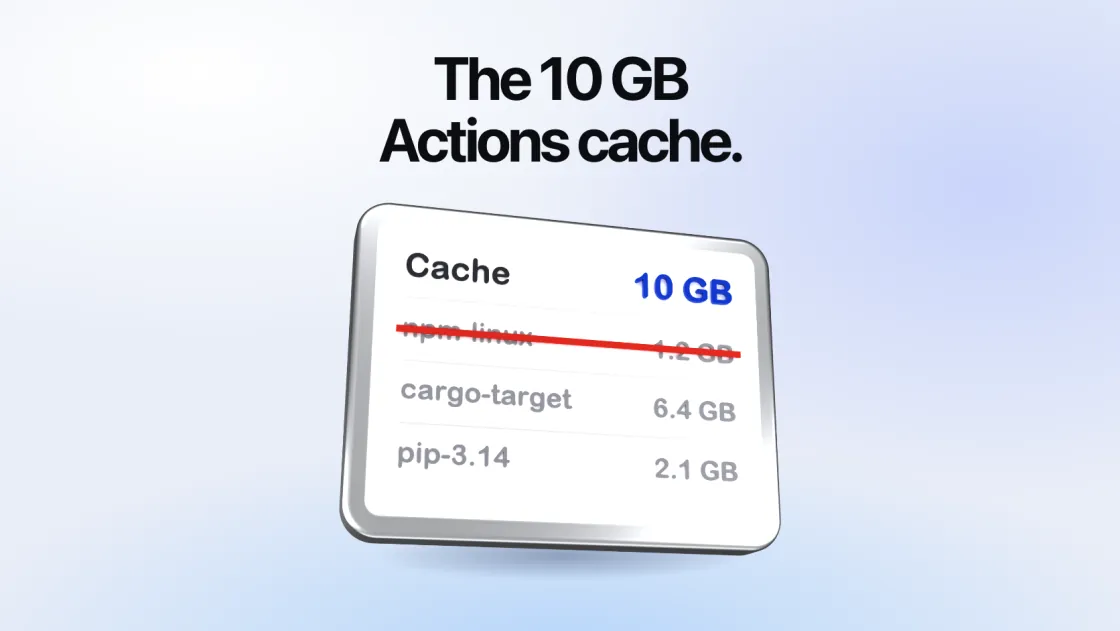
Each repository gets 10 GB of GitHub Actions cache. A cache entry nobody restores for 7 days is deleted, and when the repository goes over 10 GB, GitHub deletes the entries used longest ago until it fits. Both limits can be raised, and the space above 10 GB costs $0.07 a GB a month. Here are the limits, what happens at them, and how to keep a cache from deleting itself.
The limits
From GitHub’s dependency caching reference, repository settings and Actions billing:
| Limit | Unless changed | Can be set to |
|---|---|---|
| Cache size, each repository | 10 GB | up to 10,000 GB |
| An entry not restored | deleted after 7 days | up to 90 days (public), 365 days (private) |
| Number of entries | no limit | |
| Saving entries | 200 a minute, each repository | |
| Restoring entries | 1,500 a minute, each repository | |
| Price above 10 GB | $0.07 a GB a month |
Raising them needs a payment method on file or a paid plan. They are under the repository’s Settings → Actions → General → Cache settings, and an organization can set the most its repositories may ask for. Cache storage is its own allowance, not shared with artifacts or GitHub Packages.
What happens at 10 GB
GitHub saves the new entry, then deletes the entries used longest ago until the repository is under its limit again. Nothing fails. Jobs that expected a hit get a miss, download everything again, and save a new entry, which pushes out another. GitHub calls it cache thrashing.
The usual cause is pull requests. A cache saved by a pull_request run belongs to that pull request’s merge ref (refs/pull/123/merge), and only re-runs of the same pull request can restore it. Twenty open pull requests that each save a 600 MB node_modules fill the 10 GB on their own, and push out the default branch’s entries, which every pull request restores first.
See what is using it
gh cache list --sort size_in_bytes --limit 20        # the largest
gh cache list --sort last_accessed_at --order asc    # used longest ago
gh cache list --ref refs/pull/123/merge              # one pull request's
gh cache delete --all                                # start again
The same list is on the repository’s Actions → Caches page.
Keep it from thrashing
Delete a pull request’s caches when it closes. GitHub suggests a workflow for it, and gh cache delete now does it in one line:
name: Delete a closed pull request's caches
on:
  pull_request:
    types: [closed]
jobs:
  cleanup:
    runs-on: ubuntu-latest
    permissions:
      actions: write
    steps:
      - run: gh cache delete --all --ref "refs/pull/${{ github.event.pull_request.number }}/merge" --succeed-on-no-caches
        env:
          GH_TOKEN: ${{ github.token }}
          GH_REPO: ${{ github.repository }}
Save from the default branch only. Pull requests can then restore what main saved without adding entries of their own. actions/cache comes in two halves for it:
- uses: actions/cache/restore@v6
  with:
    path: ~/.npm
    key: npm-${{ hashFiles('package-lock.json') }}
    restore-keys: npm-
- run: npm ci && npm test
- if: github.ref == 'refs/heads/main'
  uses: actions/cache/save@v6
  with:
    path: ~/.npm
    key: npm-${{ hashFiles('package-lock.json') }}
Key on what changes the contents. A key with the lockfile’s hash makes a new entry only when the dependencies change. A key with the commit or the run number makes one for every run, and fills the cache with copies.
Cache less. A package manager’s download folder (~/.npm, ~/.cache/pip) is usually smaller than what it installs (node_modules, a virtualenv), and the setup actions’ own caching (cache: npm in actions/setup-node) keeps the download folder. Build outputs, such as a Rust target folder, grow with every build and are the first to outgrow 10 GB.
Or raise the limit. It is often the cheapest fix: a repository that keeps 30 GB all month pays for 20 GB, $1.40. GitHub counts the peak of each hour, so a short burst over the limit costs little.
When a run cannot save at all
Some runs restore but never save. Since GitHub’s change against cache poisoning, only push, workflow_dispatch, repository_dispatch, schedule and a few other events can write to the default branch’s caches. Runs from pull_request_target, issue_comment and workflow_run get read-only access: their saves are skipped with a note in the log, and the step passes.
A workflow can set its access with the cache-mode key (read, write, write-only or none). Setting write on such a run puts back the risk the change removed: a flaw in that workflow could let someone outside the repository save a cache that a later, trusted run restores.
A budget can stop saving too: when an Actions budget that covers cache storage is reached, the cache is read-only until billing is sorted out or the cache drops back under 10 GB.
On your own runners
The cache lives in GitHub’s storage whichever runner a job uses, so jobs on self-hosted runners have the same 10 GB, the same 7 days and the same price, and every save and restore goes over the internet to GitHub and back.
SuperCI, which we make, runs jobs on fresh machines in your own AWS, Cloudflare or Modal account. On AWS it keeps the cache in your own account instead, in a bucket in the machine’s region: actions/cache, the setup actions and Docker’s type=gha reach it without a change to the workflow. Each repository keeps 25 GB unless you set more, and a 4 GB cache came back in 11 s on a 16-CPU machine, against 21 s from GitHub’s. Cache has how it works.
Related: every GitHub Actions limit in one place.